
Documents Side Panel
silo.docs-panel
Browse and preview markdown documentation from configurable folder roots.
docsside-panel
Documents Side Panel
A Silo extension that adds a dedicated side panel for browsing and reading markdown documentation — rendered, not raw.
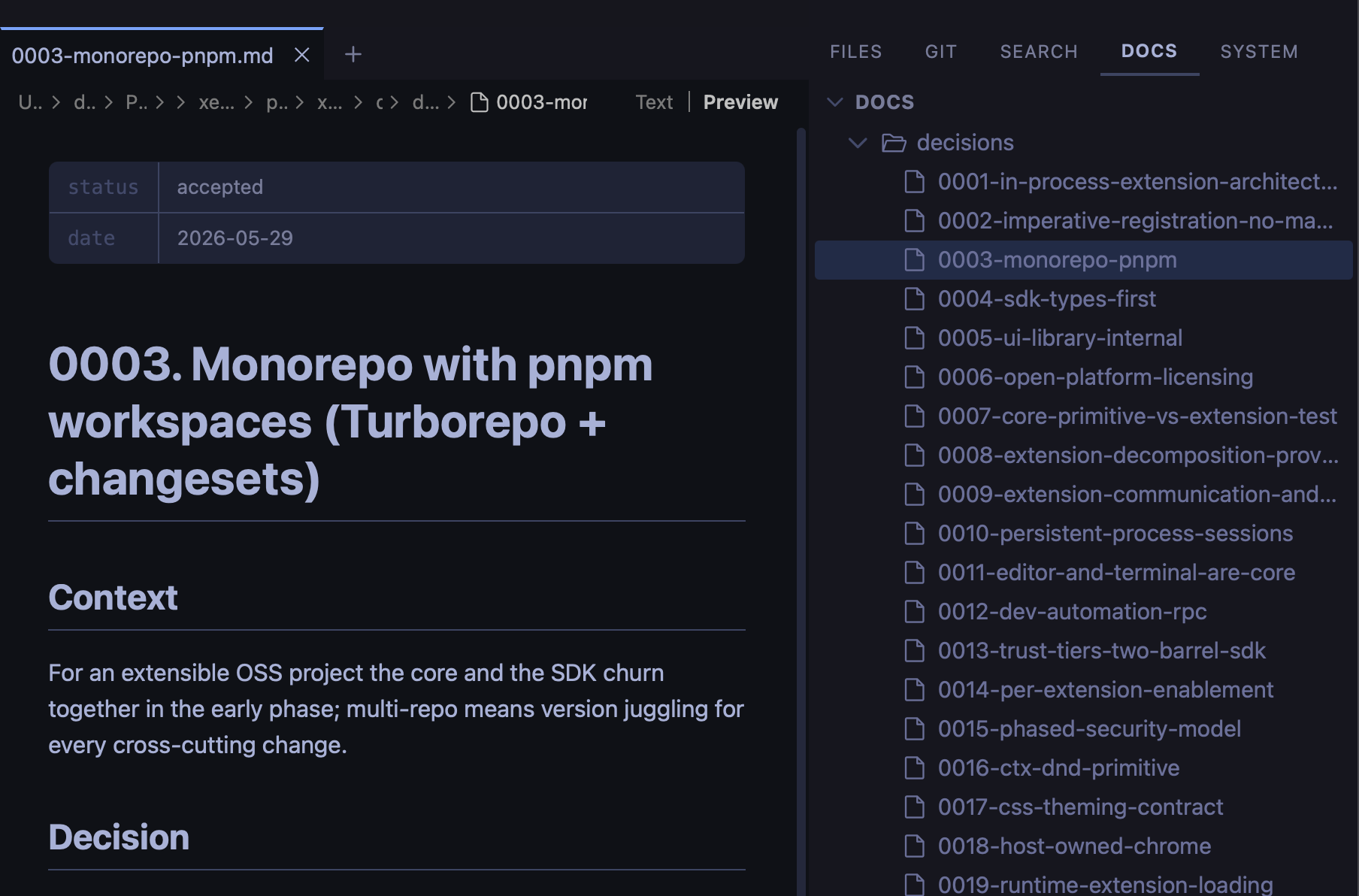
What you get
- Markdown-only tree — the DOCS panel shows only
.mdand.mdxfiles, keeping docs separate from source code - Rendered preview on click — files open directly in preview mode, no extra steps
- Multiple folder roots — add folders from anywhere on disk, not just inside the workspace
- Per-workspace state — configured roots and tree collapse state are stored per workspace and swap automatically when you switch
- Live file watching — the tree updates automatically when files are added, removed, or renamed
Installing
From a GitHub Release
- Go to Releases.
- Right-click the
.tgzasset → Copy link address. - In Silo: Settings → Extensions, paste the URL and click Install.
From source
git clone https://github.com/silo-code/silo-extensions
cd silo-extensions/docs-panel
npm install
npm run build
Then in Silo: Settings → Extensions → Install from folder, point at this directory.
Usage
The Docs panel appears in the right-side panel strip alongside GIT, SEARCH, and SYSTEM.
- Add a folder root — hover over any root section header and click + to open the native folder picker
- Navigate — click files to open them in preview; use ↑ / ↓ to move between rows and ← / → to collapse or expand folders
- Remove a root — hover the root header and click × (only affects the current workspace)
Building
npm install
npm run build        # one-shot
npm run build:watch  # watch mode
Versions
| Version | Published | Permissions | Build | sha256 |
|---|---|---|---|---|
| v0.1.5 | 2026-07-08 | fs:read | — | 091048b3da4d… |
| v0.1.4 | 2026-07-06 | fs:read | — | d522c7855d69… |
| v0.1.3 | 2026-07-02 | fs:read | — | 13b7f9607fb2… |
| v0.1.2 | 2026-06-28 | fs:read | — | ddc555dbbc39… |
| v0.1.1 | 2026-06-19 | fs:read | — | ee3635d286fd… |